
HOW TO MANAGE YOUR EMAIL PREFERENCES
We have recently updated our system for tracking your email preferences, which allows you to opt out of messages you do not wish to receive from us. Follow the steps below to update your preferences.
STEP ONE
Search your email inbox for a MN Opera or Luminary Arts Center email sent to you AFTER July 21, 2026.
STEP TWO
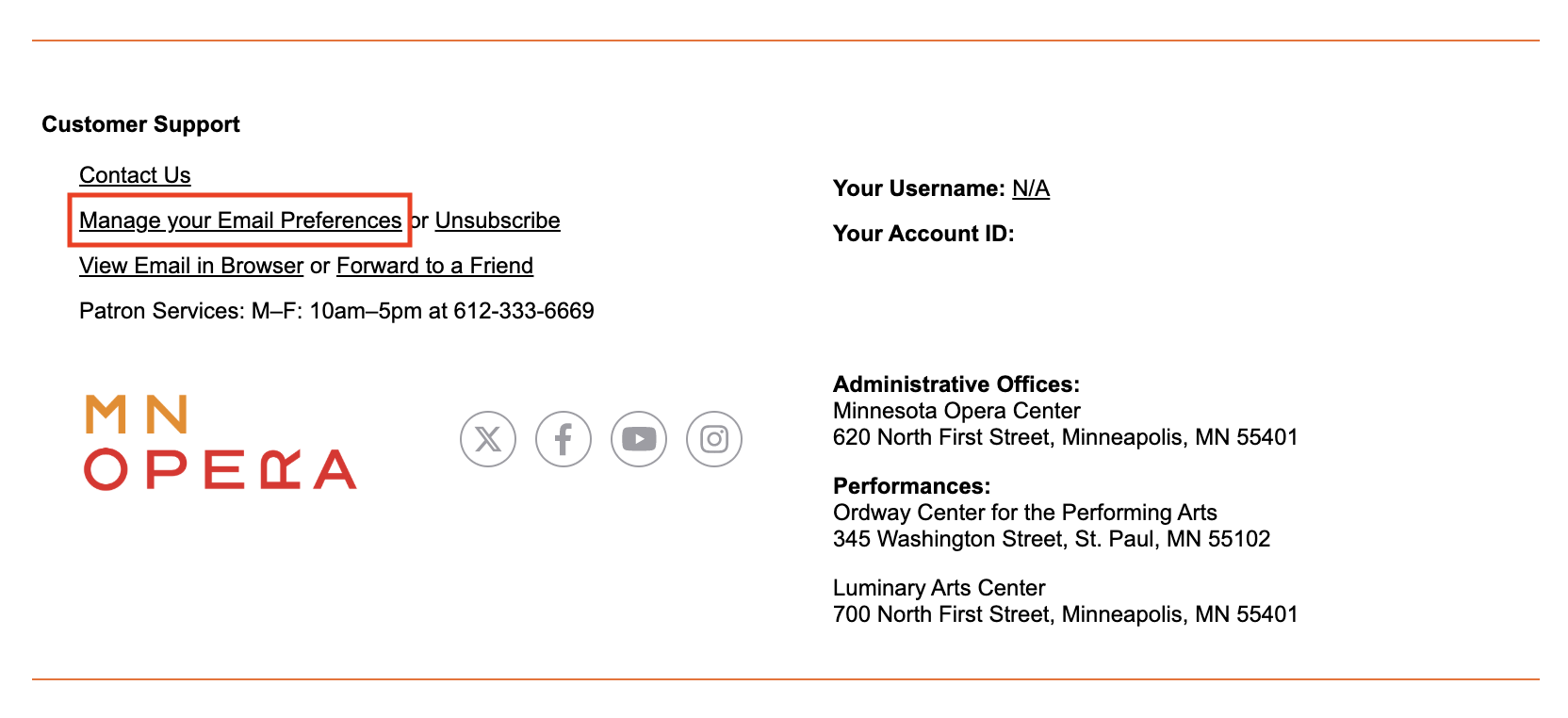
In the lower left side of the email footer, locate and click on the MANAGE YOUR EMAIL PREFERENCES link.
STEP THREE
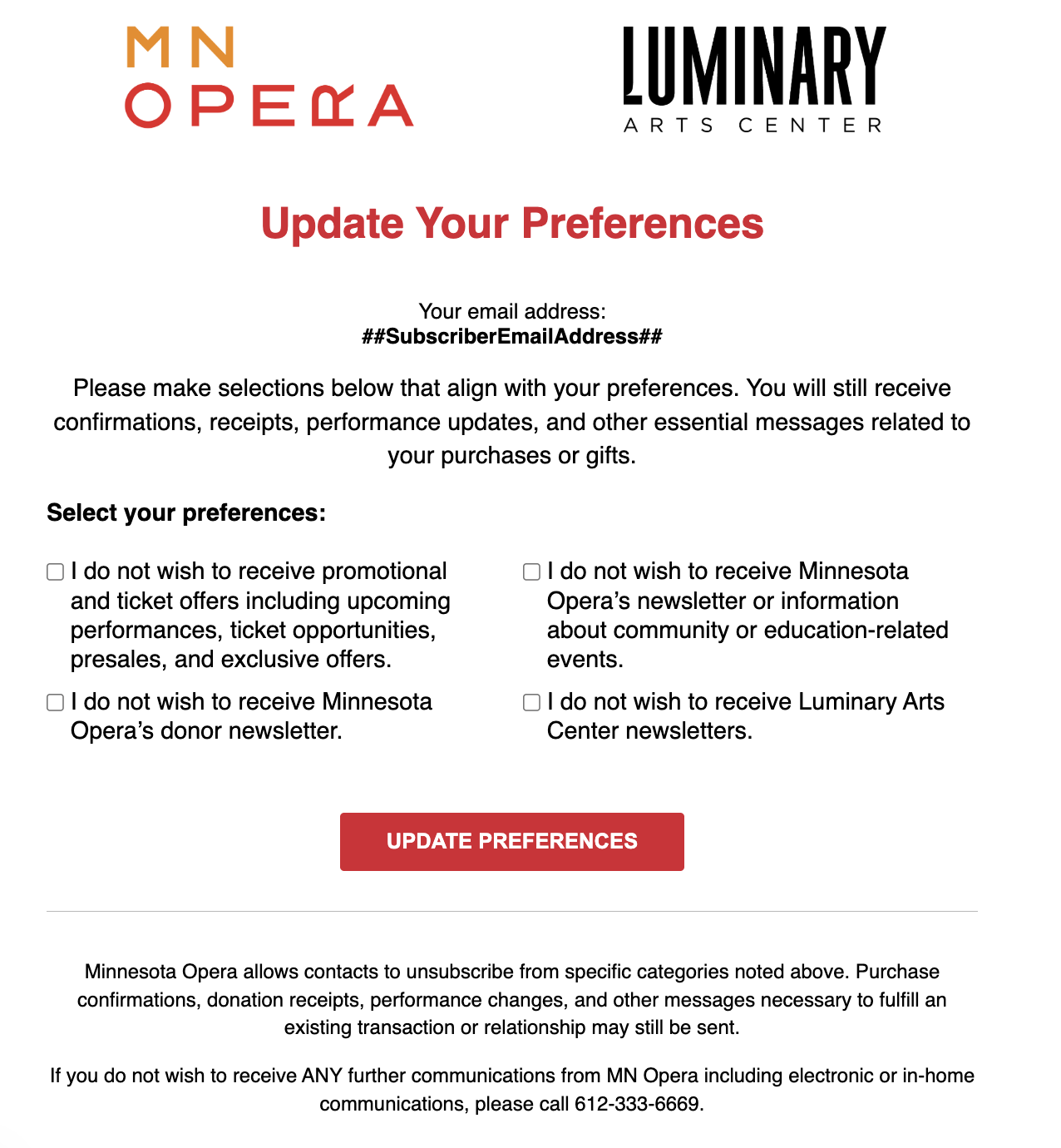
Update your preferences using the checkboxes and confirm your choices using the UPDATE PREFERENCES button.
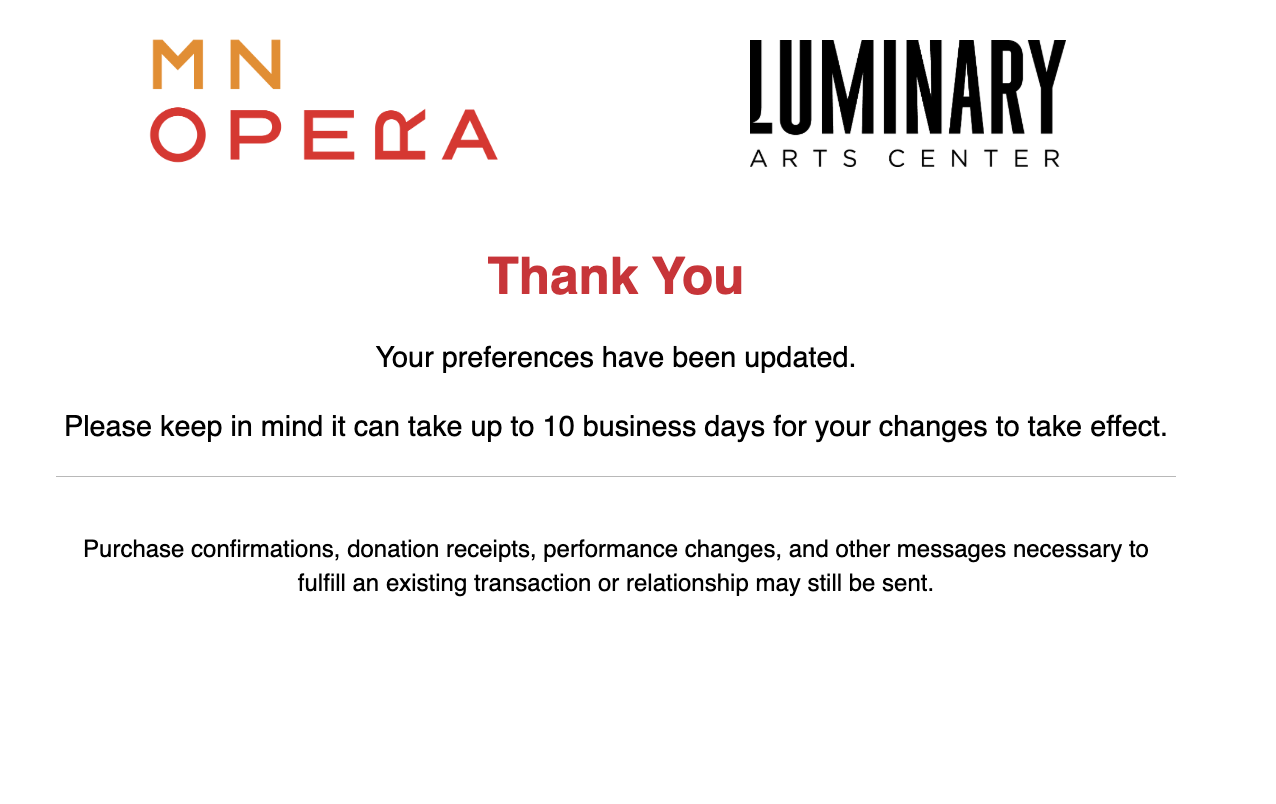
When you see this page, your preferences have been recorded:
For issues, questions, or assistance please call Patron Services at 612-333-6669.